Off the bat, all I will say is the modern Dev is crazy. It’s always been a bit unhinged, but in the world of Agentic Development it’s a whole’nother level.
I always start these sorts of posts with a history and looking back, so why not carry on? I started titting about with HTML in that era that saw the end of GeoCities and the <FONT COLOR=RED>Old HTML 1 Days</FONT>, and I was slow to adopt CSS. Tables, inline font tags and transparent.gif were all I ever needed. Then, when I started learning PHP (v4), I came to the conclusion that I needed to catch up. Then I saw everyone start using WordPress and other CMSs. I again resisted, and at the time lost my old clients. I then left web development for 8 years and came back after spending over a year learning WP and Angular (JS v1, need to stop admitting my age), but told myself I would stay up to date.
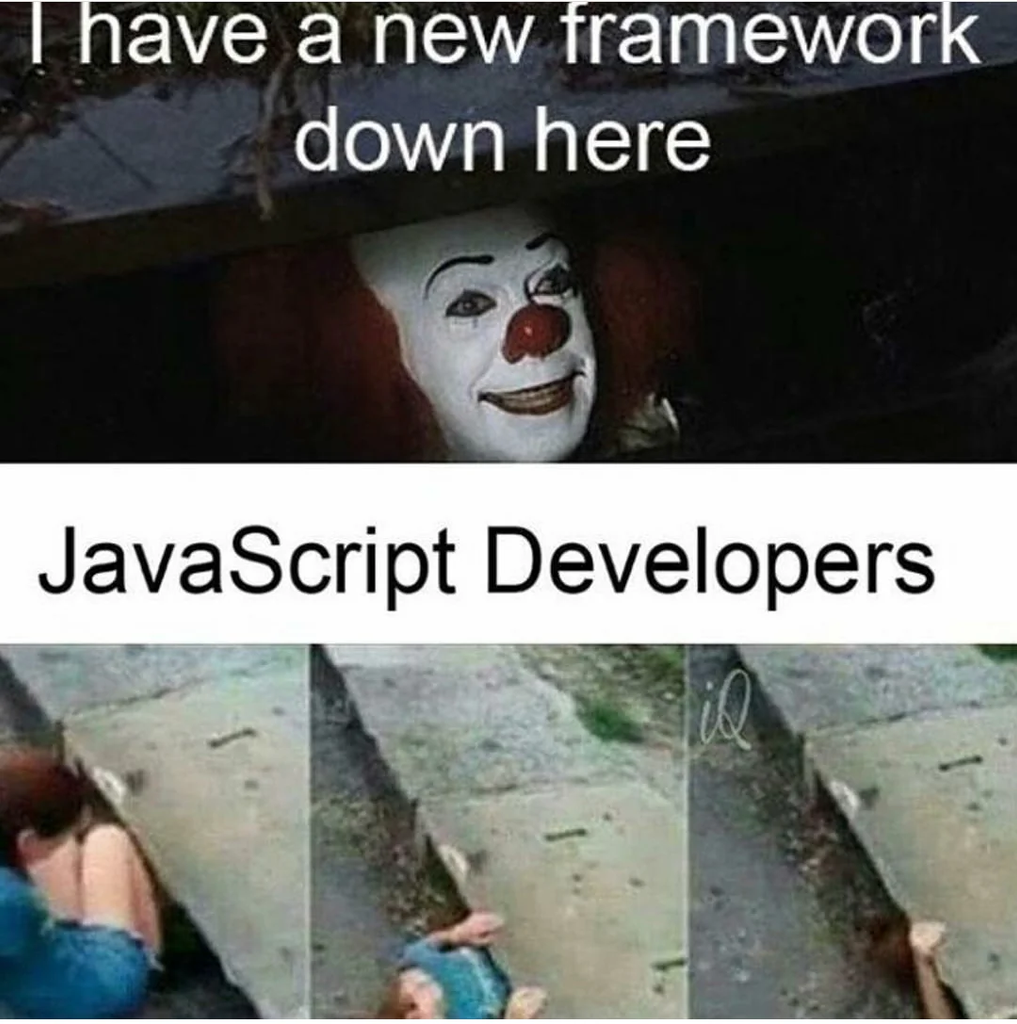
I did pretty well. I stayed away from the JS framework trap (yeah, that ended well, ha) and kept my head down. I carved out a nice specialist niche handling complex WooCommerce integrations and migrations. This worked wonders for me for around 8 years (a common cycle for me), and for 5 of those I worked at Automattic as a contractor, working on and handling WooCommerce Subscriptions stores with huge customer bases and complex setups.
Like many developers, I find it hard to put my finger on when I went from being a software engineer to being a prompt engineer. I went from @testdox It should be possible to pass a name with whitespace at either end and the stored name have this trimmed. and hitting tab a few times to have my test case, to me sitting down with an idea, asking Claude to grill me on a plan we put together, and having ChatGPT and DeepSeek agents run research. But here we are, and my niche has gone. Other developers can now use an LLM to handle large migrations, and I no longer have that sudden moment of panic when I hit enter or click submit.

So why all that BS? Well, it’s a new world, and while I feel WordPress still has a place in it and those small to medium sized e-commerce and large news sites will still benefit from the established ecosystem, for many others Astro and other static based tools are probably better long term. I know for many of the sites I run, I now just use static HTML or Astro. I don’t see the need for WP. If I need an API, I find it easier to reach for Laravel. For me it’s pretty easy. I know when I ask Claude to make me a website or a feature, I am very specific in what I want, and I will watch what it’s doing and stop all the time to redirect and point. Pre-commit, the tooling I enforce the use of will run, and while it doesn’t catch everything, the code it produces matches the standards I expect. I still find it takes 3 rewrites to get a clean, modular system that doesn’t just work.
I’ve looked at some of the stuff it writes when I don’t use my rules, and while it might start off well structured, like any “it’s temporary” project, it turns into a mess that works off side effects, not intent. It’s getting a lot better, but left unchecked, well, it’s not called slop for nothing. Since leaving Automattic, I’ve had a lot of conversations with other devs and businesses as I look for clients. It’s pretty obvious that many are either using it very delicately or want to start using AI to handle much of their businesses. So while I’m pretty happy using a coding harness or writing my own to give agents certain tools, it’s not really something everyone is comfortable doing. So this is kinda where I’ve been for the past few months.
Enter Karkinos
As a side note, PinkCrab is the company I run, the name we got from a joke “Marketing Agency Name Generator” when I started a team on Codeable many years ago. Karkinos being crab in Greek, it fits with the name, and over the past 18 months or so it has been the name for all my Agentic systems. Most are not public, but I have a Karkinos Runner (runs GitHub Actions locally), Karkinos Dev (does auto work on GitHub issues) and Karkinos Review (does code review on GitHub).
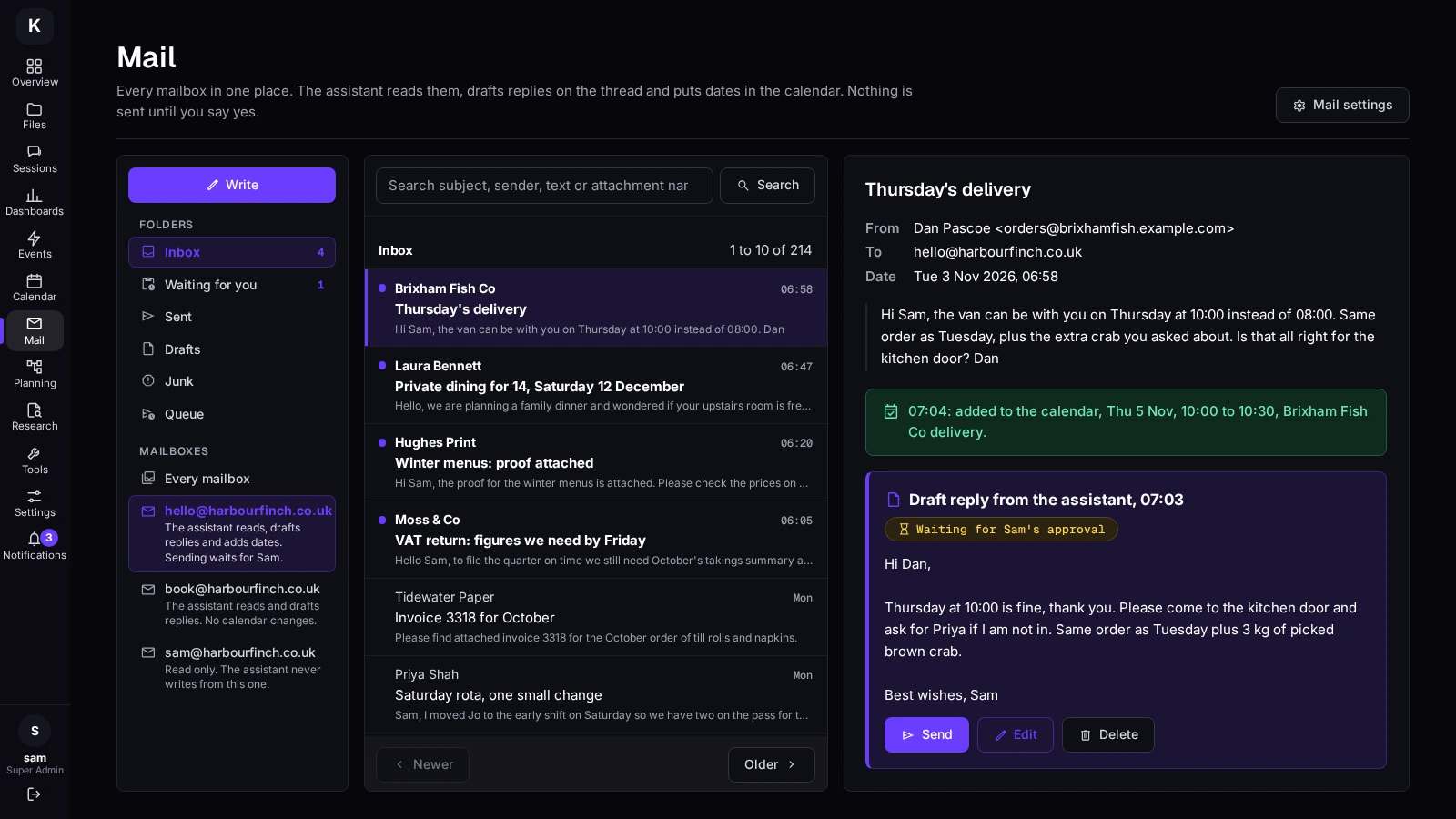
I would never feel happy giving a client a simple harness and telling them to go nuts and make something. Remember those early days of OpenClaw? So do many others, so the idea of letting them read your email is never going to fly. Then, on top of all of that, it’s the interface. Many are pretty simple or terminal based, and as soon as you start connecting to other services, well, you have a dozen dashboards to remember. In light of this, I created Karkinos In a Box.
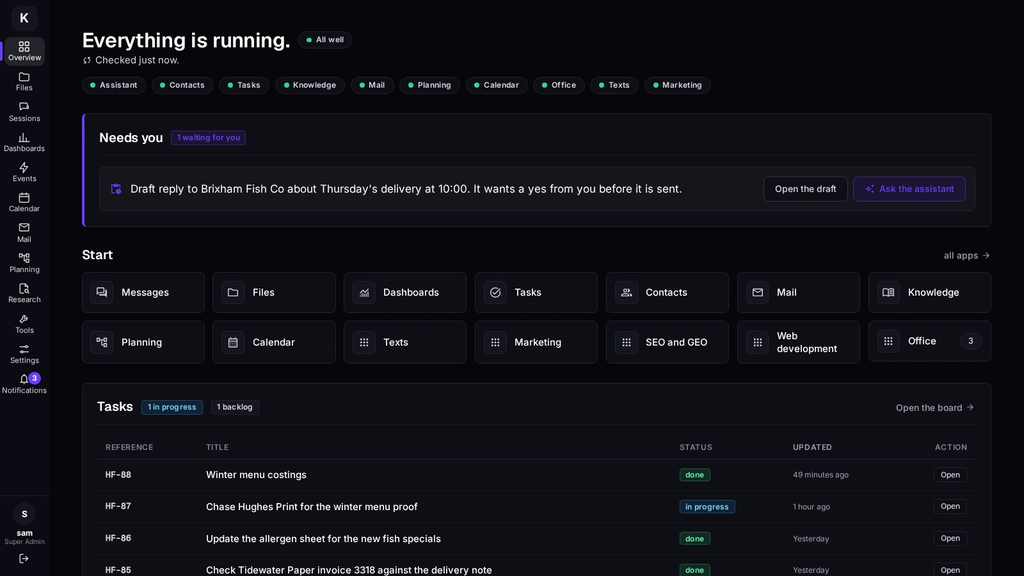
Karkinos in a Box is a batteries included, all in solution for a range of industries. It’s not all slop coded either. At its core, the different kits are created by taking existing open source tools for everything from Kanban boards to multi account mail clients, agentic job boards and more. This is then all bound together using a mix of event based actions like WordPress, combined with PHP style interfaces and a set of watchers that keep track of open tasks and help recover them if they fall over. This allows us to create a huge array of possibilities that often do not even need your assistant. You can just ask for a rule to be made and your assistant can write it, or you can do it in the custom UI I created.
If email from orders@foo.com contains pdf, forward to accounts@us.com
So the assistants can access all the data and tools they need, I added a huge collection of connectors so you can sync your Kanban boards from GitHub and Asana and allow the assistant to either read only or post to them. You can connect your Google Analytics, Perplexity, Lighthouse and Bing Ads to run campaigns and track them in real time. Then, at the end of the week, have the assistant write up a report and plan what to do next week. We made sure the box can work without connecting to any 3rd party, keeping it all self contained, or as just a hub where your assistant can interact with all of your existing systems. The whole page is made to be highly modular and, thanks to its hook based approach, is as extendable as WordPress.
The Features
- The assistant
- Dashboards
- Email (Multiple accounts)
- Calendar
- Contacts
- Planning
- To-do
- Files
- Research
- Events
- Marketing
- SEO and GEO
- Accessibility checks
- Creative suite
- Design
- Office suite
- Feeds
- Your voice
- Books
- Browser tools
- Receptionist
- Business phone
- Recordings
- Texts
As you can see, it does a lot, and while we are still in the early days of its existence, the people already using it are finding it very effective. I will post more about this over time, but please feel free to have a look, and if any of you would like a live demo, please drop me a line.